Know what’s inside, in one scan.
Scroll through what the scanner does for you.Swipe through what the scanner does for you.
- 01
Point your camera at the barcode
A barcode is recognised by itself. Nothing to type, nothing to search: pointing is enough.
- 02
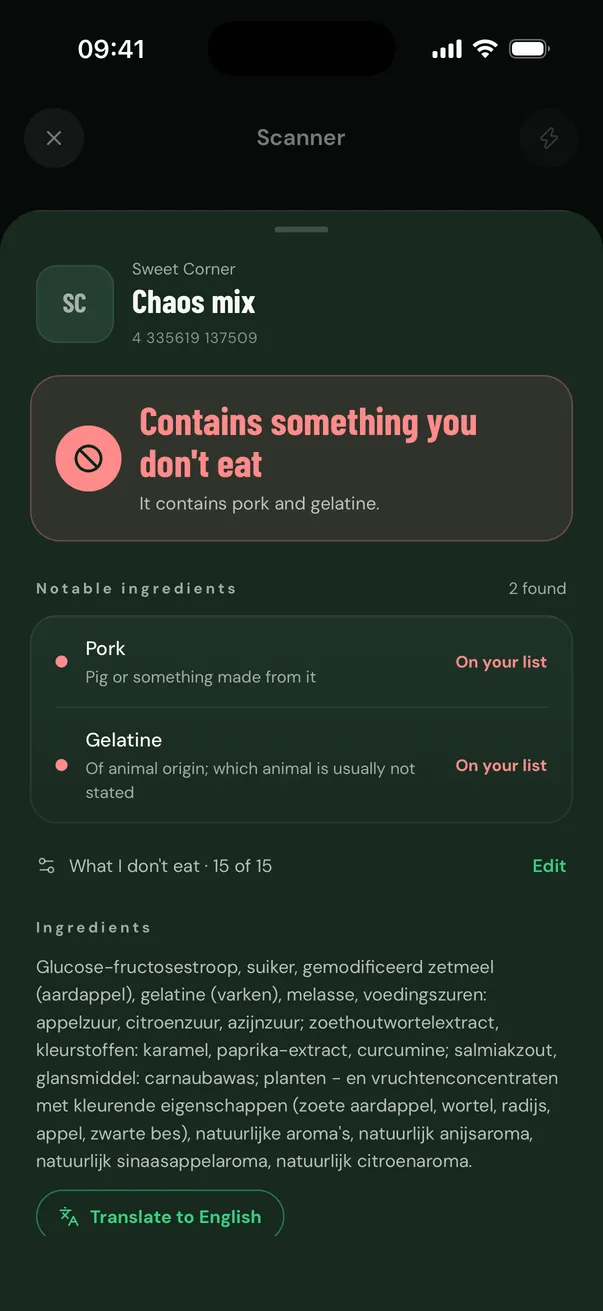
See what’s inside, right away
At the top you see at once whether it contains something you don’t eat, and what exactly. We don’t say whether something is halal: we show what is on the label.
- 03
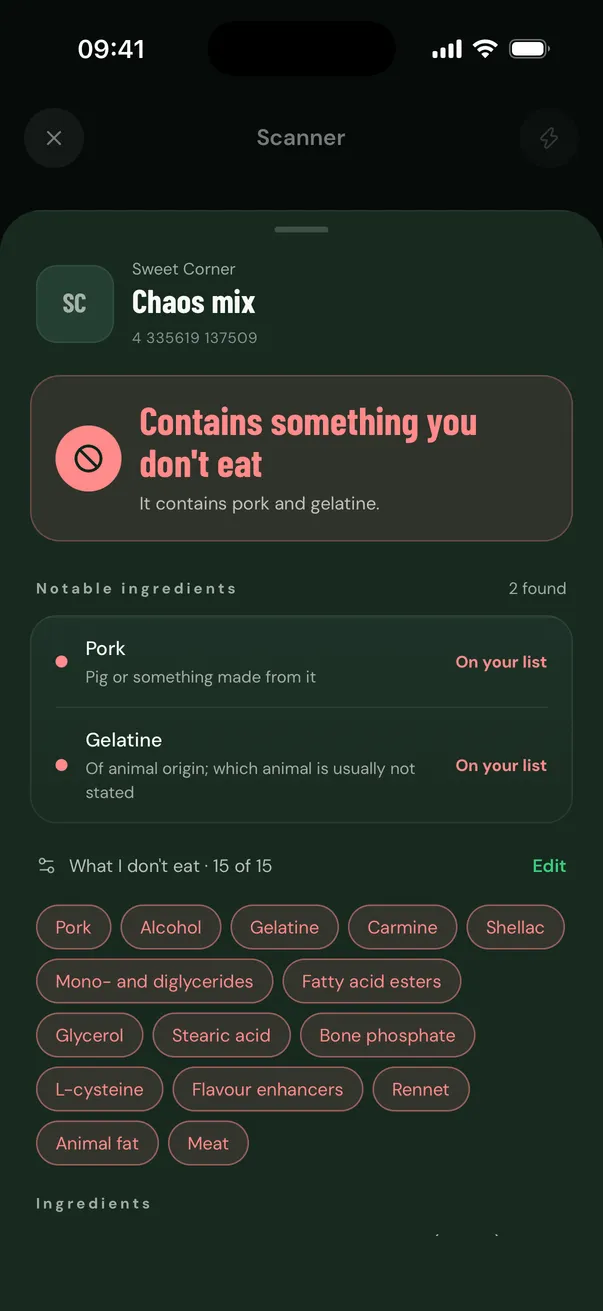
You choose what you avoid
15 ingredients, from gelatine and carmine (E120) to E471 and alcohol. Everything is on; switch off what you do eat.
- 04
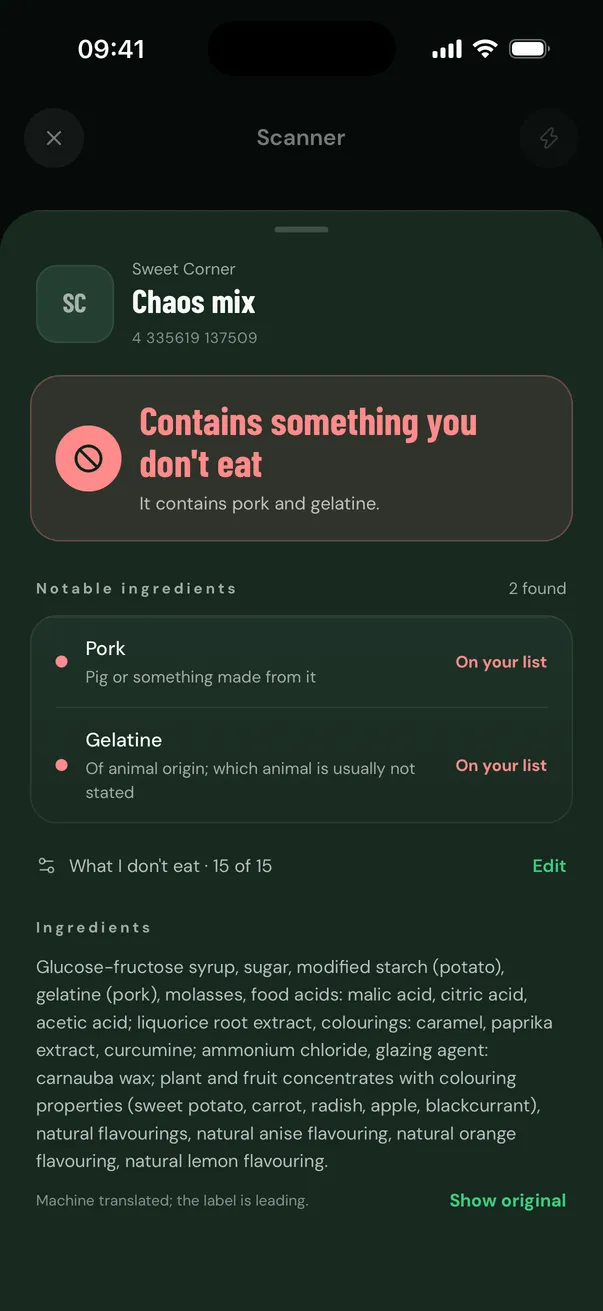
A label in another language?
With Pro the app translates the ingredient list into your language. The original is one tap away, and the label always comes first.
- 05
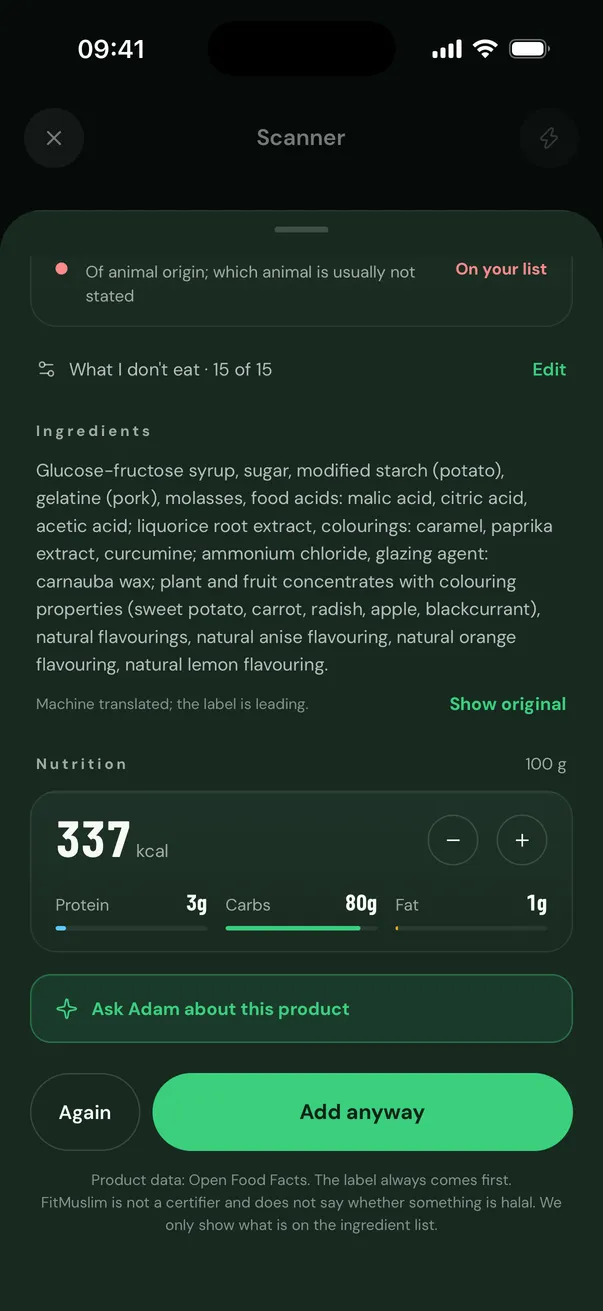
Nutrition and your food diary
With Pro you see calories, protein, carbs and fat for the portion you choose, and add the product to your day with one tap.
- 06
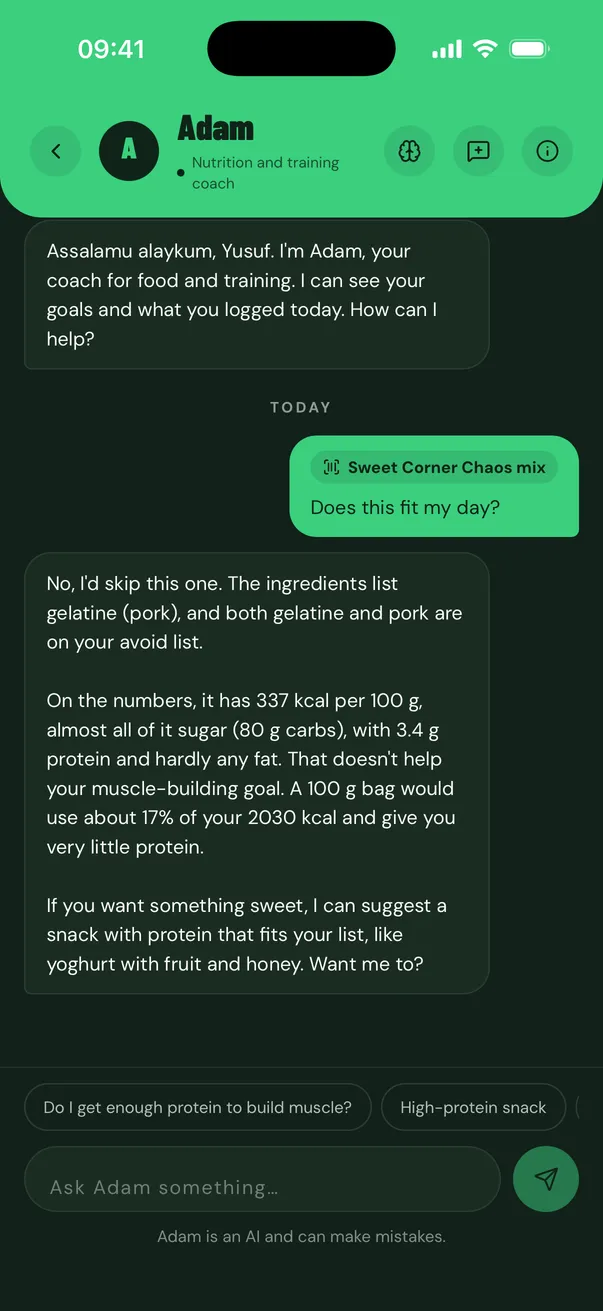
Ask Adam about the product
Does this fit my day? Is there something better? Adam knows the product, your goals and your list.
- 07
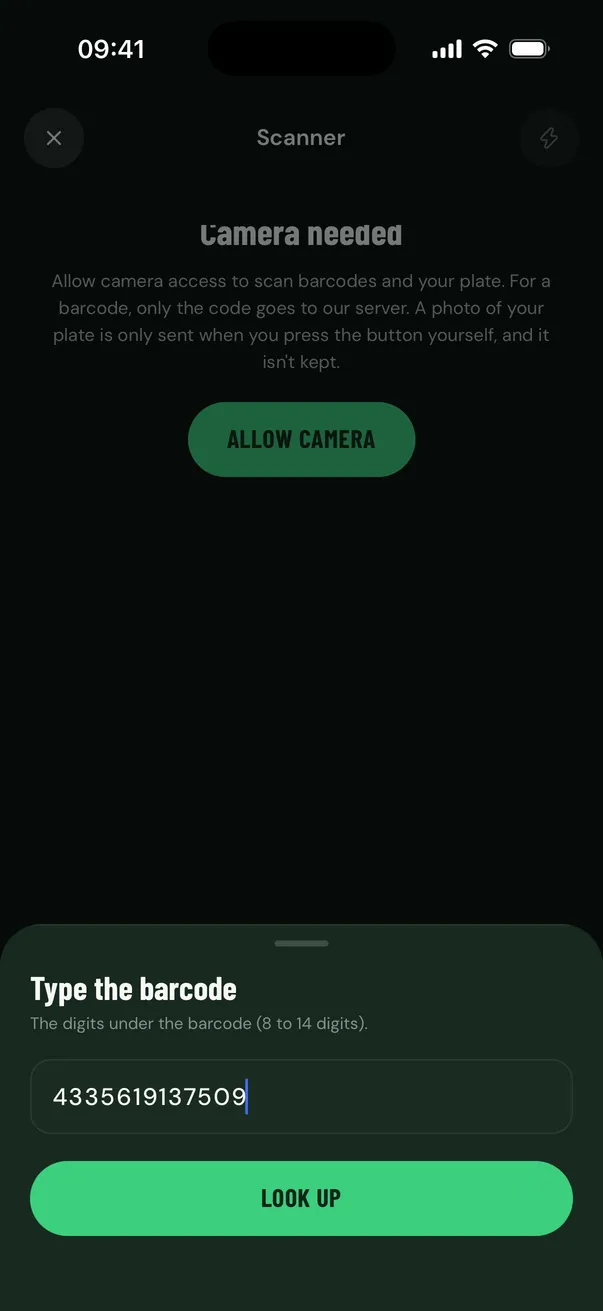
No camera at hand?
Type the digits under the barcode and you get the same result. Or pick a photo from your gallery.
- 02
See what’s inside, right away
At the top you see at once whether it contains something you don’t eat, and what exactly. We don’t say whether something is halal: we show what is on the label.
- 03
You choose what you avoid
15 ingredients, from gelatine and carmine (E120) to E471 and alcohol. Everything is on; switch off what you do eat.
- 04
A label in another language?
With Pro the app translates the ingredient list into your language. The original is one tap away, and the label always comes first.
- 05
Nutrition and your food diary
With Pro you see calories, protein, carbs and fat for the portion you choose, and add the product to your day with one tap.
- 06
Ask Adam about the product
Does this fit my day? Is there something better? Adam knows the product, your goals and your list.
- 07
No camera at hand?
Type the digits under the barcode and you get the same result. Or pick a photo from your gallery.
